
OxideSieve - DustClear
SAVOY SLTools
4.23.00 Reviews
- Version
- 1.0.2
- Installs
- 10.00K
- Age Rating
- Everyone
Screenshots
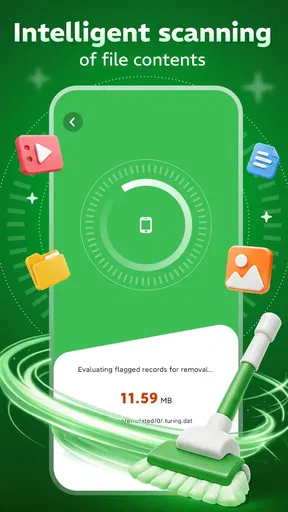
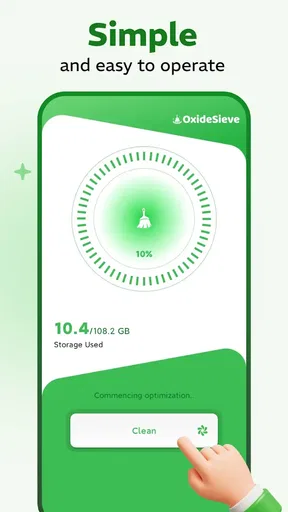
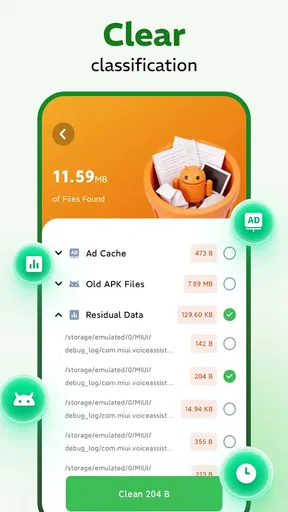
Our Review of OxideSieve - DustClear
 Analysis by Appyee
Phone storage problems rarely arrive as one dramatic event. They build quietly through downloads, temporary files, forgotten documents, and leftovers from apps you no longer use. By the time the warning appears, the difficult part is not finding something to delete; it is deciding what can go without creating a new problem. OxideSieve - DustClear is designed for that narrow but familiar task: refining and filtering storage so cleanup feels more deliberate than opening folders at random.
I approached it as a practical storage management tool, not as a magical speed booster. That distinction matters. Its value is measured by how quickly it helps me understand what is taking space and how confidently I can remove unwanted material. In that role, the app from SAVOY SL has a clear appeal, especially for people who want a focused utility rather than a crowded phone-maintenance suite.
It is free, aimed at everyone, and currently listed as version 1.0.2 for devices running Android 8.0 or later. The app has reached over ten thousand installs and holds a 4.2 average from roughly forty-six ratings. Those figures suggest a modest but meaningful user base, while the small number of written reviews makes my own hands-on impression especially important: this is a focused tool that should be judged by its workflow, not by a long history of extras.
Why storage cleanup becomes a recurring chore
The usual Android storage screen is useful, but it is not always comfortable for cleanup. It tells me how much room remains and shows broad categories, yet a category such as images, videos, or applications can still contain a mixture of essential files and disposable clutter. The result is hesitation. I may know that storage is nearly full, but I still have to open several places, remember what each file belongs to, and decide whether a deletion is safe.
That is the recurring problem OxideSieve - DustClear tries to reduce. Its purpose is not to replace every file-management function on a phone. Instead, it gives storage refinement and filtration a more central role. I find that approach sensible because cleanup is rarely about one enormous file. It is usually a sequence of small decisions, and a tool that helps organize those decisions can save more time than a dramatic-looking “boost” button.
There is also a psychological benefit to a dedicated utility. When I use the operating system’s settings, I often begin with a vague feeling that something is wrong. A focused cleaner encourages a more specific question: what should I inspect first, and what can I leave alone? That change in mindset is useful for anyone who shares a device with family members, downloads media frequently, or keeps a phone for several years instead of replacing it quickly.
The first useful setup is an inspection, not an instant purge
My recommended first session is deliberately cautious. I would open the app when the phone is not urgently needed, allow its storage view to become familiar, and inspect the way it presents candidates before removing anything. The first useful result is not necessarily a large amount of freed space. It is learning how the app groups or filters material so later cleanups require less thought.
This is where I would avoid treating any storage utility as a one-tap solution. Files can look disposable because their names are unfamiliar, but unfamiliar does not mean unnecessary. A downloaded document may be needed for travel, an image may be a private backup, and a media file may belong to a conversation that matters. I would review selections individually when the context is unclear and use broader cleanup only for material I already recognize.
A practical setup habit is to begin with the least sensitive area. I would first examine obvious downloads or files I created temporarily, then move toward larger and more personal categories. This gives me a chance to understand the app’s filtering behavior without risking irreplaceable photographs or work documents. The time-saving feature is the review process itself: once I know how OxideSieve - DustClear surfaces storage candidates, future sessions can become short inspections instead of open-ended searches.
The app’s minimum operating-system requirement also makes it relevant to older Android phones that still function well but have limited storage headroom. That does not guarantee identical behavior on every device, since Android manufacturers organize storage differently, but it means the utility is not restricted to only the newest phones. For someone using an older handset, a focused cleanup workflow can be more useful than installing a large all-purpose maintenance package.
Everyday situations where the workflow makes sense
One realistic scenario is preparing for a trip. I might download maps, tickets, entertainment, and reference documents, only to discover that the phone has little room left for new photos. Instead of scrolling through a gallery and guessing which items are safe, I would use the app beforehand to inspect old downloads and temporary material. The important trade-off is that I would clean before the trip, when I have time to verify files, rather than during boarding or while standing somewhere without reliable access to other copies.
Another scenario is a phone used for messaging and media sharing. Group conversations can gradually accumulate images, clips, and documents that were useful once but are no longer needed locally. A storage-refinement tool can make that buildup easier to confront because it turns an invisible background problem into a deliberate review. I would still keep anything that has personal or legal value, but the app can reduce the effort required to identify the less important residue.
It can also help after a burst of downloading. Perhaps I tested several applications, saved installation files, or collected reference material for a short project. The project ends, but the files remain. This is exactly the kind of cleanup I would rather handle with a filter-oriented utility than with a manual search through every folder. The benefit is not only recovered space; it is avoiding the repeated interruption of discovering the same clutter weeks later.
For a family member who is uncomfortable with Android settings, the app may offer a more approachable starting point. I would not hand over the phone and suggest deleting everything, but I could use the app alongside them and explain each selection. That makes it a teaching tool as well as a cleaner: the person learns which kinds of files accumulate and which ones should be protected.
What friction it removes, and what it does not
The strongest case for OxideSieve - DustClear is reduced navigation. Ordinary cleanup often means moving between system settings, application screens, download folders, and galleries. A dedicated storage utility can bring the inspection task into one place, making it easier to maintain a routine. Even when the actual deletion takes only a moment, avoiding several separate searches makes the whole process feel less burdensome.
Filtering is particularly valuable when the phone contains a mixture of old and new material. I do not want a tool that simply shows a giant undifferentiated list. I want a way to narrow attention so I can ask sensible questions: is this a duplicate, an old download, a file from a finished project, or something I must retain? The app’s identity is built around that refinement step, and that is more useful to me than vague promises about making the phone “faster.”
There is a subtle workflow advantage in separating discovery from deletion. I can use the app to locate candidates, pause, and confirm what they are before acting. That is safer than reacting to a storage warning with a hurried bulk removal. It also creates a repeatable routine: inspect the largest or least important areas first, remove only what is understood, then check whether the remaining storage problem actually requires a deeper change such as uninstalling an application.
However, the app should not be confused with a complete backup system, a replacement for the gallery, or a guarantee that every suggested item is worthless. Cleanup tools can identify storage candidates, but only the owner knows whether a file has sentimental, professional, or offline value. I would keep a separate copy of important material and would not use a cleaner as the only protection for documents or photographs.
There is also a trade-off compared with the built-in Android storage manager. The system tool is already present, understands the device’s own settings, and may be enough for someone who only checks storage occasionally. OxideSieve - DustClear becomes more attractive when I want a dedicated inspection habit and a narrower focus on refinement and filtration. If my needs are limited to uninstalling one large application or checking the storage summary, opening system settings may be quicker.
Compared with broad “phone booster” applications, this utility’s focused identity is a positive for me. Large suites often combine cleaning with unrelated tools, which can make the interface busier and the decision-making less clear. On the other hand, a broader suite may be preferable for someone who specifically wants battery information, security checks, device diagnostics, or application management in the same place. I would choose this app when storage is the recurring issue, not when I am looking for an all-purpose control center.
Small habits that make it safer and more useful
I would schedule cleanup around moments when the phone is already being maintained: before a long journey, after finishing a project, or when preparing to install a large application. This is better than waiting for the storage warning, because urgency encourages careless decisions. A short, calm inspection can preserve the time-saving benefit without turning deletion into a gamble.
I would also treat file context as more important than file size. A large item deserves attention, but a small document can matter far more than a large disposable video. When filtering results, I would check names, locations, and recent relevance rather than selecting every large candidate. This is a non-obvious but important trade-off: freeing the most space is not always the same as improving the phone in the safest way.
Another useful habit is to use the app as a diagnostic checkpoint. If a cleanup barely changes the storage situation, that tells me the problem may be installed applications, offline media, or a category that needs manual attention. In that case, I would stop repeating the same scan and move to Android’s own storage controls. The app saves time when it points me toward a decision; it wastes time only if I expect it to solve every storage cause automatically.
I would be especially conservative with shared folders and personal media. A file can be duplicated locally for a reason, and a recently received attachment may still be needed even if it looks like clutter. The practical rule is simple: if I cannot explain why an item is safe to remove, I leave it in place and investigate later. That approach may recover less space in one session, but it protects the reliability that matters more than an impressive cleanup total.
Who should use it and who should skip it
I think the app is best for Android users who repeatedly run out of room, dislike navigating several storage menus, or want a dedicated way to review accumulated downloads and other unwanted material. It is also a reasonable choice for people using compatible older devices, provided they are comfortable making their own deletion decisions. The free price lowers the barrier to trying a focused workflow without committing to a broader subscription-style utility.
I would skip it if storage is never a concern or if the phone’s built-in tools already provide everything I need. I would also look elsewhere if I want automatic cloud backup, detailed duplicate-photo management, device security, or a full diagnostic dashboard. Those are different jobs. Installing a storage filtration tool will not make those missing functions appear, and expecting it to do so would lead to disappointment.
The age rating of Everyone makes the app broadly approachable, but that does not remove the need for supervision when someone else is using the device. A simple interface can still lead to serious mistakes if the person cleaning does not recognize an important file. For shared phones, I would make the first cleanup a guided session and establish a rule that personal documents and photographs are reviewed manually.
My final view after weighing the time saved
OxideSieve - DustClear succeeds when I treat it as a focused storage-refinement assistant rather than a miracle optimizer. Its most convincing benefit is the reduction of friction between “my phone is nearly full” and “I understand what I can safely remove.” That is a practical improvement, especially for recurring clutter, and it gives the app a clear reason to exist alongside Android’s standard storage screen.
My reservations are equally practical. A storage utility cannot know the personal value of every file, and a focused cleaner will not replace backup, gallery organization, or application management. The safest results come from reviewing suggestions carefully and using the app as part of a broader maintenance routine. People who want instant, automatic deletion should be cautious; people who want a clearer inspection process are more likely to appreciate it.
For me, the deciding question is whether storage cleanup feels like a repeated interruption. If it does, the app’s narrow purpose is a strength: it keeps attention on filtering, reduces unnecessary navigation, and encourages a repeatable routine. If the built-in Android tools already solve the problem, there is no urgent reason to add another utility. Overall, I would recommend OxideSieve - DustClear to a friend who wants a free, straightforward way to review storage clutter, with one condition: use its convenience to make better decisions, not to avoid making them.
Verdict
Strengths of OxideSieve - DustClear
- Simple interface makes the main cleaning tools easy to find.
- Can help identify large or unnecessary files quickly.
- Useful for occasional storage checks on older devices.
- Lightweight design should have limited impact on device resources.
- Clear scan results help users decide what to remove.
Limitations of OxideSieve - DustClear
- Results may require manual review to avoid deleting important files.
- Cleaning performance depends on the device’s storage and file structure.
- Some features may be restricted behind ads or in-app purchases.
- Duplicate detection may not recognize every file variation accurately.
- Frequent scans can be unnecessary if your phone has ample free space.
Similar Picks in This Category
View All
Google LLC4.0

Gboard - the Google Keyboard
Google LLC4.5

Google Play services
Google LLC4.3

Google Play Store
Google LLC4.9

Files by Google
Google LLC4.5

SHAREit: Transfer, Share Files
Smart Media4U Technology Pte.Ltd.4.3
Frequently Asked Questions
What is OxideSieve - DustClear and what does it do?
OxideSieve - DustClear appears to be a utility focused on helping users manage unwanted files, dust-like clutter, or other unnecessary data on a device. Before downloading, check the app’s exact feature list and supported platform, since the name alone may not clearly explain whether it offers storage cleaning, system monitoring, file organization, or another specialized function.
Is OxideSieve - DustClear safe to install and use?
As with any cleaning or optimization app, users should review the developer information, store ratings, privacy policy, and requested permissions before installation. Be especially careful if the app asks for broad access to files, photos, notifications, or device settings. Downloading only from the official Google Play Store or Apple App Store reduces the risk of installing a modified or unsafe version.
Does OxideSieve - DustClear really improve device performance?
The results of cleaning and optimization apps can vary considerably. Removing temporary files or organizing unused content may free storage, but it will not necessarily make every phone or tablet faster. Modern Android and iOS devices already manage many background processes automatically, so users should treat performance claims realistically and avoid deleting files unless the app clearly identifies them as safe.
Will OxideSieve - DustClear delete my personal files or photos?
Before running any cleaning feature, carefully inspect the categories and files selected for removal. Applications that scan storage may identify downloads, cached content, duplicate files, or large media, but automated recommendations are not always perfect. Back up important photos, documents, and videos first, and use preview or confirmation screens whenever available to prevent accidental deletion.
Is OxideSieve - DustClear free, and does it contain advertisements or subscriptions?
The cost and available features may depend on the version downloaded and the operating system you use. Check the app-store listing for in-app purchases, premium tools, advertising, trial periods, and subscription renewal terms before confirming installation. If a free trial is offered, review how cancellation works so you are not charged unexpectedly after the trial expires.
